

Easy day. Love this for us.
Hey, Product Hunt The pea is free to try, and every download includes 14 days of Pro.
A macOS menu-bar pea with opinions
Fans spinning up? Battery draining? Laptop warming your lap? Sweatpea lives in your menu bar, sweats when your Mac works hard, and names the app that's doing it. Then it asks you both to take a break.
Free forever · every download includes 14 days of Pro



Easy day. Love this for us.
The live bit
Drag the load. The pea does the rest: face, line, culprit, note. It's the same app you'll be ignoring in meetings.

Warm · running warm
Just a little glow. Totally fine.
Nobody's bothering me right now. Enjoy it.
The blame
Activity Monitor tells you a percentage. Sweatpea tells you it's Chrome, that every tab is its own little process, and that you could maybe close a few.
node, claude, yes.“Google Chrome is doing this to me 😰”
The vitals
When your Mac drags without breaking a sweat, it's usually memory or a disk that's nearly full. Sweatpea shows both, names the app holding the most memory, and tells you which folder quietly grew.
“Google Chrome is holding 3.8 GB. That's why I feel full.”
Memory by app
What changed · since yesterday Pro
The faces
Chill, warm, sweating, meltdown. Napping, side-eye, confused, celebrating. The menu-bar face changes with your Mac, so you can read the room without opening Activity Monitor.
Easy day. Love this for us.
Just a little glow. Totally fine.
Who opened 40 tabs?
I am becoming soup.
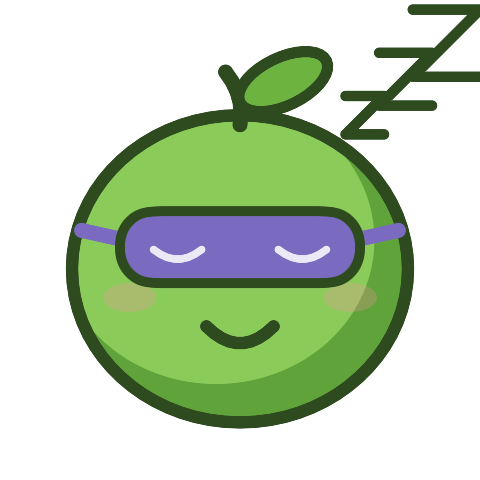
Do not disturb.

I can hear you typing.

I can't read your Mac right now.

All rested. Come back whenever.
Twenty states in the app, including the ones that only show up when you're on a call, typing during a break, or the sampler stops answering.
The breaks
After an hour of use — you pick the interval — the pea yawns and asks for two minutes. It naps while you're away, gives you side-eye if you type, and wakes up happy when you're back.
0:10
Two minutes. You, me, and no keyboard.
10-second demo · the real nap is 2 minutes
The receipts
Sweat Wrapped is your week in one card: hours sweating, meltdowns, the apps responsible, breaks taken. Share it, save it, or send it to the person who told you to close some tabs.
Month, year and all-time cards, the Hall of Flame and a roast card are part of Pro.
The price
Sweatpea is a one-time purchase, not a subscription. Every install starts with a 14-day Pro trial — no account, no card.
$0 forever
The pea, the blame and the breaks. The stuff that makes you open it every day.
$9.99 once
The memory and the receipts. Everything the pea knows, for as long as you have it.
14-day trial included · licence key by email
Pro is sold by Dodo Payments, our Merchant of Record, which handles checkout, tax and receipts. The app talks to Dodo only to activate and validate your key. No analytics, no account, no usage data. Terms · Privacy · Refund policy
The privacy
No analytics, no account, no ad SDK. CPU data, app names and history never leave your Mac. The only requests out are a licence check if you buy Pro and a once-a-day update check, and neither carries your data. Privacy policy
Your Mac
CPU · apps · history
The questions
Still curious? The pea is easier to understand than most of your menu bar.
No. In Activity Monitor it uses about 1% of one CPU core (about 0.1% of a 10-core Mac) and around 45 MB of memory. It samples once a second and does almost nothing in between. The apps it blames are the expensive part.
No. It only asks macOS how long it has been since you last touched the keyboard or mouse, the same number the screensaver uses. It never sees which keys you press, and it doesn't ask for Accessibility, Input Monitoring or Screen Recording permission.
Yes. It's signed with a Developer ID and notarized by Apple, so it opens without any “unidentified developer” warning. It's a 4.8 MB universal app for Apple Silicon and Intel, with no installer and nothing running in the background besides the pea. To remove it, quit it and drag it to the Trash.
macOS 14 or later. It's a menu-bar app, so there's no Dock icon and no window to manage.
The live pea, blame, breaks, reminders, live memory and storage, Sweat Wrapped and a week of history. Pro adds what changed in memory, storage and your folders, longer history, the sweat calendar, shareable cards, extra voices and CPU numbers.
No. $9.99 once, at the launch price. The licence key arrives by email after checkout and keeps working offline for 30 days between checks.
One licence covers up to 2 Macs at a time. Deactivate one in the app to move the activation to another.
Email support@sweatpea.app within 7 days of buying, from the address you bought with or with your licence key, for a full refund. Dodo returns the money to your card and revokes the key — the app falls back to the free plan on its next check. The full refund policy has the details.
support@sweatpea.app. A human reads it. There is no tracking pixel here to tell them you wrote.
No. Two requests leave this Mac. The licence check sends the key, a device instance id and your Mac's model, never its name. The daily update check asks sweatpea.app for the appcast and carries no identifier, though like any web request the host sees your IP address. Neither ever sends CPU data, app names or usage history.
As two numbers: a visit, and a download if you click the .dmg. The page sends a source label (such as a referring site, or direct) and a +1 to Google Firestore, which necessarily sees your IP address. There is no cookie, no identifier, no timestamp and no per-person record — only two totals. Do Not Track or Global Privacy Control turns the counter off.
Because a progress bar has never once made anyone feel seen. The pea has.
Ready when you are
It will sweat so you don't have to. Mostly.